SOC 2 Evidence Collection: What Auditors Actually Want
SOC 2 evidence collection is the single most time-consuming part of any SOC 2 audit. For startups and SMBs pursuing their first SOC 2 report, the evidence collection process can feel overwhelming. Your auditor will request proof that every control in scope actually operates as described in your System Security Plan. Without organized, complete SOC 2 evidence collection, even well-implemented controls can result in exceptions or qualified opinions.
This guide covers exactly what auditors look for during SOC 2 evidence collection, how to organize your evidence, and practical strategies for reducing the collection burden by 60% or more through automation. According to the AICPA, SOC 2 examinations follow SSAE 18 standards that define what constitutes sufficient, appropriate evidence.
What SOC 2 Evidence Actually Means
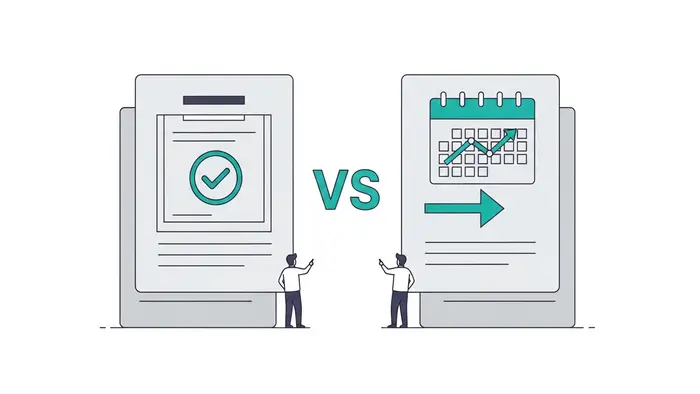
Evidence in a SOC 2 context is documentation proving that a control exists, operates effectively, and has been consistently applied throughout the audit period. For a Type I report, auditors need evidence that controls are designed and implemented at a point in time. For a Type II report, they need evidence that controls operated effectively over a period, typically 6 to 12 months.
Auditors evaluate evidence against three criteria:
- Completeness: Does the evidence cover the entire audit period without gaps?
- Accuracy: Does the evidence reflect the actual state of the control?
- Relevance: Does the evidence directly support the control being tested?
The 8 Most Common Evidence Types
1. Configuration Screenshots
Auditors want screenshots showing how systems are configured at the time of the audit. These prove technical controls are in place.
Common requests:
- Password policy settings (minimum length, complexity, expiration)
- MFA enrollment status for all users
- Firewall rules and network segmentation
- Encryption settings for data at rest and in transit
- Access control lists and role-based permissions
Best practice: Use timestamped screenshots captured directly from production systems. Include the browser URL bar or system identifier so the auditor can verify the source.
2. Population and Sample Lists
For controls that apply to many instances (user access reviews, change management, incident response), auditors request a full population list and then select a sample to test in detail.
Examples:
- Complete list of all employees with system access
- Full list of all code changes deployed during the audit period
- All security incidents logged during the period
Best practice: Export populations from authoritative sources (HR system, version control, ticketing system). Include key fields: date, person responsible, status, and outcome.
3. Policy and Procedure Documents
Every SOC 2 control maps back to a documented policy. Auditors verify that policies exist, are approved, communicated to employees, and reviewed on a regular schedule.
Required policies typically include:
- Information Security Policy
- Access Control Policy
- Change Management Policy
- Incident Response Plan
- Business Continuity / Disaster Recovery Plan
- Risk Assessment Methodology
- Vendor Management Policy
- Data Classification and Handling Policy
- Acceptable Use Policy
- Encryption Policy
Best practice: Include version history, approval signatures (digital is fine), and distribution records. Policies should be reviewed at least annually, with the review date documented.
4. Access Reviews
Auditors verify that user access is reviewed periodically and that terminated employees are promptly removed. This is one of the most frequently tested controls.
Evidence needed:
- Quarterly or semi-annual access review records showing reviewer, date, users reviewed, and decisions (approve/revoke)
- Termination evidence showing the date of termination and the date system access was revoked
- Privileged access justification records
Best practice: Automate access reviews using your identity provider (Okta, Azure AD, Google Workspace). Export review completion reports with timestamps. For terminations, show the HR system record alongside the identity provider deactivation log.
5. Change Management Records
Every production change should follow your documented change management process. Auditors sample changes and trace them through the full lifecycle.
Evidence per change:
- Change request or ticket with description and business justification
- Code review / peer approval before merge
- Test evidence (unit tests, QA sign-off)
- Deployment approval
- Post-deployment verification
Best practice: Use your ticketing system (Jira, Linear, GitHub Issues) as the single source of truth. Link pull requests to tickets. Auditors appreciate a clean audit trail where they can follow a change from request to production.
6. Monitoring and Alerting Evidence
Auditors verify that you monitor systems for security events and respond to alerts. This covers availability monitoring, intrusion detection, and log management.
Evidence includes:
- Alert configuration screenshots (what triggers an alert)
- Sample alert notifications and response records
- Dashboard screenshots showing monitoring coverage
- Log retention configuration (typically 90+ days required)
- SIEM or log aggregation tool configuration
7. Vulnerability Management Records
Regular vulnerability scanning and timely remediation is a core SOC 2 expectation.
Evidence includes:
- Vulnerability scan reports (internal and external)
- Scan schedule configuration
- Remediation records showing when critical/high vulnerabilities were patched
- Exception documentation for accepted risks
Best practice: Run scans at least quarterly. Critical vulnerabilities should be remediated within 30 days, high within 90 days. Document your SLAs and show compliance metrics.
8. Training Completion Records
Security awareness training must be completed by all employees, typically annually. Auditors verify completion rates and content relevance.
Evidence includes:
- Training platform completion reports with names and dates
- Training content outlines showing security-relevant topics
- New hire training completion within onboarding period (typically 30 days)
How to Organize Your Evidence

The Folder Structure That Auditors Love
Organize evidence by Trust Service Criteria (TSC), then by control. This mirrors how auditors work through their test plan.
Naming Conventions
Use consistent file naming so evidence is easy to locate during the audit:
Examples:
Automating SOC 2 Evidence Collection
Manual SOC 2 evidence collection typically takes 200 to 400 hours per audit cycle. Automation can reduce this by 60 to 80%.
What to Automate
| Evidence Type | Manual Approach | Automated Approach | |--------------|----------------|-------------------| | Configuration screenshots | Login, navigate, screenshot, save | API pulls with timestamps | | Access reviews | Export users, email managers, track responses | Identity provider automated reviews | | Change management | Search tickets, compile summaries | Version control integration (auto-link PRs to tickets) | | Vulnerability scans | Run scans, download reports, file them | Scheduled scans with auto-filing | | Training records | Export from LMS, check against employee list | LMS integration with HR system | | Uptime monitoring | Screenshot dashboards monthly | Automated uptime reports via API |
Tools That Help
SOC 2 evidence collection becomes much simpler with compliance automation platforms. Tools like Vanta, Drata, Secureframe, and Sprinto connect directly to your infrastructure and continuously collect evidence. They integrate with:
- Cloud providers (AWS, Azure, GCP)
- Identity providers (Okta, Azure AD, Google Workspace)
- Version control (GitHub, GitLab, Bitbucket)
- HR systems (BambooHR, Gusto, Rippling)
- Endpoint management (Jamf, Kandji, Intune)
- Ticketing systems (Jira, Linear, Asana)
These platforms reduce evidence collection time from hundreds of hours to a few hours of review per quarter.
Common SOC 2 Evidence Collection Mistakes
Starting too late. Do not begin collecting evidence in the month before your audit. Some evidence (like quarterly access reviews) must be collected throughout the audit period. If you miss a quarterly review, you cannot retroactively create one.
Over-relying on screenshots. Screenshots are useful but can be fabricated. Auditors increasingly prefer system-generated reports and API exports with metadata. When possible, provide evidence that includes system-generated timestamps and cannot be easily manipulated.
Missing the full population. When an auditor asks for "all changes deployed to production," they mean all of them. Providing a partial list raises questions about what was excluded and why. Use automated exports from your deployment pipeline.
Not tracking exceptions. Every control has exceptions. An employee whose access was removed 5 days after termination instead of within 24 hours is an exception. Document exceptions proactively with root cause analysis and remediation steps. Auditors expect some exceptions; they do not expect you to pretend everything is perfect.
Letting policies go stale. A policy dated 2022 that has not been reviewed creates an automatic finding. Even if the content is still accurate, add a "Reviewed on [date]" notation annually with the reviewer name.
SOC 2 Evidence Collection Timeline

For a Type II audit with a 12-month observation period:
| Month | Activity | |-------|----------| | Month 1 | Establish evidence collection process, set up automation, create ERL | | Monthly | Collect recurring evidence (monitoring reports, patch records) | | Quarterly | Access reviews, vulnerability scans, policy reviews, risk assessments | | Month 10 | Pre-audit evidence review, identify and fill gaps | | Month 11 | Auditor fieldwork begins, provide organized evidence | | Month 12 | Respond to auditor follow-up requests, remediate any findings |
Frequently Asked Questions
How far back does SOC 2 evidence need to go?
For a Type II report, evidence must cover the entire observation period, typically 6 to 12 months. For a Type I report, evidence only needs to show the state of controls at a single point in time.
Can I use the same evidence for multiple controls?
Yes. A single piece of evidence can support multiple controls. For example, an access review report can support both the access provisioning control (CC6.1) and the monitoring control (CC4.1). Map these cross-references in your evidence request list.
What format should evidence be in?
PDFs are the most common format. System-generated reports, exported CSVs, and screenshots saved as PDFs are all acceptable. Avoid sending raw data files that require special software to open. Your auditor should be able to review evidence without needing access to your systems.
How long should I retain SOC 2 evidence?
Retain evidence for at least 7 years. This covers potential legal discovery, regulatory inquiries, and future audits that may reference historical controls. Cloud storage makes long-term retention inexpensive.
What happens if I cannot produce evidence for a control?
The auditor will issue an exception or, in severe cases, a qualified opinion. A single missing evidence item is usually manageable. Multiple missing items across critical controls can result in a report that is not useful to your customers, effectively defeating the purpose of the audit.
Should I give auditors direct access to my systems?
Some organizations provide read-only access to monitoring dashboards, identity providers, or ticketing systems. This can speed up the audit by letting auditors pull evidence directly. Discuss this with your auditor and ensure appropriate access controls and audit logging are in place.