SOC 2 Evidence Collection: What Auditors Actually Want
TL;DR
- A SOC 2 examination under AT-C 205 (the section SSAE 21 superseded and renamed for reports dated on or after June 15, 2022, within SSAE 18 as amended) requires evidence that is both sufficient and appropriate, meaning enough volume to draw conclusions and reliable enough to trust. Screenshots from production systems rank higher than self-reported spreadsheets.
- Evidence must cover all five Trust Services Criteria that are in scope: Security, Availability, Processing Integrity, Confidentiality, and Privacy. Security (the Common Criteria, CC1-CC9) is required in every SOC 2 report.
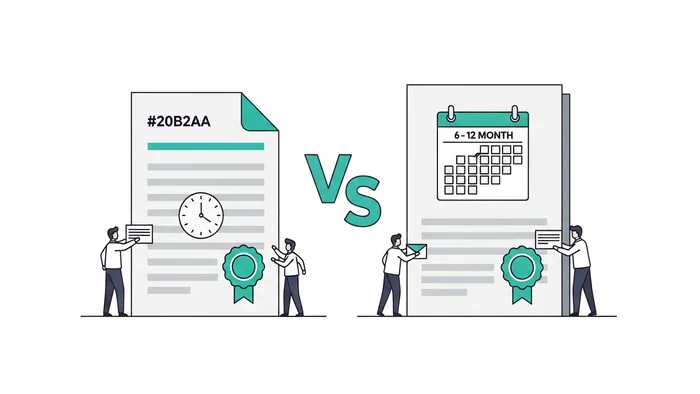
- For a Type II report, evidence must span the entire observation period, typically six to twelve months, without gaps. A Type I report only requires evidence of controls at a single point in time.
- Evidence collection fieldwork for a Type II audit typically runs five to seven weeks, according to Schellman, a licensed CPA firm that performs SOC examinations.
- Missed evidence produces exceptions. Multiple missing items across critical controls can result in a qualified opinion, which reduces the report's value to your customers.
Who this is for
This article is for engineering leads, security managers, and compliance teams at service organizations preparing for their first or second SOC 2 audit. It covers what auditors actually request, how to organize evidence before fieldwork begins, and where evidence collection most commonly breaks down.
What "evidence" means in a SOC 2 context

Evidence is documentation that proves a control exists, operates as described, and was consistently applied during the audit period. The governing standard, AT-C Section 205 (Assertion-Based Examination Engagements, under SSAE 21 since reports dated on or after June 15, 2022), requires practitioners to obtain evidence that is both sufficient and appropriate before issuing an opinion. Sufficiency is about quantity: enough samples and observations to support a conclusion. Appropriateness is about quality: evidence that is relevant and reliable.
The difference matters in practice. An access review spreadsheet filled in by a team member is less appropriate than an export from your identity provider showing timestamps, reviewer names, and decisions. Auditors do not always reject self-reported evidence, but they will ask more questions about it and may expand their sample if they cannot verify the source.
Type I vs. Type II evidence scope
A Type I report covers controls at a single point in time. Evidence only needs to show that controls are designed and implemented as of the report date. You are not being tested on whether the controls ran consistently over months.
A Type II report covers an observation period. The AICPA does not set a minimum window length; in practice, most commercial engagements run six to twelve months. Every control must have evidence spanning that full window, not just near the end. Quarterly access reviews, for example, must show all four quarters.
The eight main evidence types and what auditors check
1. Configuration screenshots
Auditors pull configuration evidence to confirm that technical controls are actually in place, not just described in a policy. Common requests:
- Password policy settings: minimum length, complexity requirements, expiration rules
- MFA enrollment records for all users with production access
- Firewall rules and network segmentation configuration
- Encryption settings for data at rest and in transit
- Role-based access control lists showing who has what permissions
The key detail auditors look for: the screenshot should include a system identifier (URL bar, hostname, console breadcrumb) so the source can be confirmed. A screenshot with no context of where it came from is weaker evidence. Prefer system-generated exports with timestamps over manual captures when your platform supports it.
2. Population and sample lists
For controls that apply repeatedly, user access, change management, security incidents, auditors request the full population first, then select a subset to test in detail. If the population is incomplete, the sample may not be representative, and auditors will note the gap.
What to prepare:
- A complete export of all employees with system access, pulled from your identity provider (Okta, Azure AD, Google Workspace), not a manually maintained spreadsheet
- The full list of production deployments during the audit period, from your CI/CD pipeline or ticketing system
- All security incidents logged during the period, from your SIEM or ticketing system
Include key fields: date, person responsible, status, and outcome. Auditors trace individual records from this list into the detailed evidence, so clean data saves everyone time during fieldwork.
3. Policy and procedure documents
Every control in a SOC 2 report maps to a documented policy. Auditors confirm that policies exist, are approved by management, have been communicated to employees, and are reviewed on a defined schedule. Policies that have not been reviewed in over a year are a common finding.
Documents that nearly every SOC 2 audit covers:
- Information Security Policy
- Access Control Policy
- Change Management Policy
- Incident Response Plan
- Business Continuity and Disaster Recovery Plan
- Risk Assessment Methodology
- Vendor Management Policy
- Data Classification and Handling Policy
- Acceptable Use Policy
- Encryption Policy
Include version history, approval signatures (digital signatures are accepted), and distribution records. If you circulate policies via email or a document management system, save the distribution report, auditors will ask for it.
4. Access reviews
Access reviews are among the most frequently tested controls in a SOC 2 audit. Auditors want to see that your organization periodically checks who has access to what, makes deliberate decisions to keep or revoke that access, and removes departed employees promptly.
Evidence you will need:
- Access review records showing the reviewer name, review date, the list of users reviewed, and the action taken for each (access approved, reduced, or revoked)
- Termination records showing the date an employee left alongside the date their system access was deactivated. The gap between those two dates is what auditors measure.
- Justification records for privileged accounts (admin, root, superuser)
When terminated employees retain access for weeks after their departure date, auditors record exceptions. Document any exceptions that occur during the audit period and include root cause analysis and the remediation step taken. Auditors expect some operational misses; what raises flags is a pattern of them or the absence of any documentation.
5. Change management records
Production changes must follow your documented change management process. Auditors pull a sample of changes and trace each one from the initial request through to deployment. What they are checking: did someone approve this? Was it tested before going to production? Was there a peer review?
Per-change evidence the auditor will want:
- The original change request or ticket with a description and business justification
- Code review approval, showing a second person reviewed the code before it merged
- Test evidence, unit test results, QA sign-off, or a staging environment screenshot
- Deployment approval record
- Post-deployment verification (smoke test result or monitoring dashboard confirming the service is stable)
Using your ticketing system (Jira, Linear, GitHub Issues) as the single record linking all of these steps makes tracing straightforward. Pull requests linked to tickets, with required reviewers enforced at the repository level, produce clean audit trails without extra manual work.
6. Monitoring and alerting evidence
SOC 2's Common Criteria require organizations to monitor systems for security events and respond when something goes wrong. This covers availability monitoring, intrusion detection, and log management. Auditors check both that the monitoring is configured and that alerts are actually acted on.
Evidence includes:
- Alert configuration screenshots showing what conditions trigger a notification
- Sample alert records paired with the response actions taken
- Dashboard screenshots showing monitoring coverage across in-scope systems
- Log retention configuration: your logs must be retained long enough to support the audit. Most organizations retain at least 90 days of logs for operational use; check your auditor's specific requirement.
- SIEM or log aggregation configuration, if applicable
7. Vulnerability management records
Regular vulnerability scanning and timely remediation is a core expectation under the Security criteria. Auditors verify that scans are scheduled, that results are acted on, and that exceptions are documented when remediation is delayed.
Evidence needed:
- Vulnerability scan reports covering the audit period, from both internal and external scans
- Your scan schedule configuration showing when scans run
- Remediation records showing the date a vulnerability was identified, the date it was resolved, and the person responsible
- Exception documentation for risks that were accepted rather than remediated, including the business justification and the approver
Many organizations set 30-day and 90-day remediation SLAs for critical and high-severity vulnerabilities, respectively. Those figures are reasonable industry targets, but the AICPA does not mandate specific timeframes in the Trust Services Criteria. The criteria require that you have a defined process and follow it. Whatever SLAs your policy commits to, your evidence must show you met them, or documented and approved exceptions when you did not. For organizations building a remediation policy from scratch, NIST SP 800-40 (Guide to Enterprise Patch Management Planning) provides a practical risk-based framework for setting defensible SLA tiers by severity.
8. Security awareness training records
Annual security awareness training for all employees is a standard expectation. Auditors check completion rates and whether the content addresses security topics relevant to your environment.
Evidence includes:
- Training platform completion reports with employee names and dates
- Training content outlines or module descriptions confirming security-relevant topics
- New hire training completion records showing when each new employee completed training after joining
How to organize evidence before fieldwork starts
Map evidence to criteria before you collect anything
The most common reason evidence collection takes longer than it should: organizations collect what they think the auditor wants, rather than tracing each control to a specific criterion and then gathering the matching evidence.
Start with your control list (or ask your auditor for their testing matrix). For each control, identify: what type of evidence demonstrates it operated? Who owns that evidence? Where does it live?
A simple spreadsheet, one row per control, columns for evidence type, source system, owner, and status, gives you and your auditor a shared view of progress. Auditors who receive a pre-mapped evidence request list complete fieldwork faster. According to Schellman, evidence collection fieldwork runs five to seven weeks for a typical Type II engagement. Organizations that front-load preparation can compress that window.
Folder structure that mirrors how auditors work
Organize evidence by Trust Services Criteria category, then by control. This mirrors the order auditors work through their test plan.
/SOC2-Evidence/
  /CC1-Control-Environment/
  /CC2-Communication/
  /CC3-Risk-Assessment/
  /CC4-Monitoring/
  /CC5-Control-Activities/
  /CC6-Logical-Access/
  /CC7-System-Operations/
  /CC8-Change-Management/
  /CC9-Risk-Mitigation/
  /A1-Availability/
  /C1-Confidentiality/
  /PI1-Processing-Integrity/
  /P-Privacy/
Within each folder, name files consistently: [YYYY-MM-DD][control-ref][evidence-type].[ext]. A file named 2025-09-30_CC6.2_access-review-Q3.pdf is self-explanatory; a file named Screenshot 2025-09-30 at 3.45pm.png is not.
Automation options and their limits

Manual evidence collection for a first Type II audit can consume a significant block of staff time, particularly in organizations without defined processes. Compliance automation platforms, Vanta, Drata, Secureframe, and Sprinto are the main options reviewed on this site, connect to your infrastructure and collect certain types of evidence continuously.
What these platforms automate well:
- Configuration snapshots from cloud providers (AWS, Azure, GCP)
- User access exports from identity providers (Okta, Azure AD, Google Workspace)
- Endpoint management status from Jamf, Kandji, or Intune
- Vulnerability scan scheduling and report collection
- Policy acknowledgement tracking
- Training completion data from integrated LMS platforms
What they cannot replace: human judgment about whether the evidence is accurate, complete, and reflects operational reality. Auditors ask questions during fieldwork. Someone on your team needs to be able to explain each piece of evidence, trace it to a specific control, and describe what happened when an exception occurred.
Automation reduces the time spent collecting and organizing evidence. It does not eliminate the need for a person who understands the controls.
Common mistakes that produce audit findings
Starting collection mid-audit. Some evidence, quarterly access reviews, vulnerability scans, incident records, must be collected throughout the audit period. If your observation period is January through December, a quarterly access review that was never completed in Q2 cannot be recreated retroactively. Start your evidence collection process on the first day of your observation period, not the last month.
Providing incomplete populations. When an auditor requests "all production changes deployed during the audit period," they mean all of them. A partial list raises questions about what was excluded. Export populations from authoritative sources: your CI/CD system, identity provider, ITSM. Do not manually curate them.
Ignoring exceptions. No environment operates perfectly across a year. An employee whose access was deactivated several days after their termination date is an exception. Document it: what happened, why, and what you did to prevent recurrence. Auditors expect exceptions to exist. A report with zero exceptions across hundreds of sampled events looks more suspicious than one with a handful of documented, remediated exceptions.
Stale policies. A policy document with an approval date from two or more years ago, with no annual review record, is an automatic finding. Annual review does not require a full rewrite, a one-line notation confirming the document was reviewed, with the reviewer's name and date, is sufficient. Build this into your policy management process.
Relying entirely on screenshots. Screenshots are accepted evidence, but they can be altered. System-generated reports (API exports, identity provider audit logs, SIEM exports) carry more weight because they include metadata that is harder to manipulate. Use screenshots for configuration evidence where system reports are not available; prefer exports everywhere else.
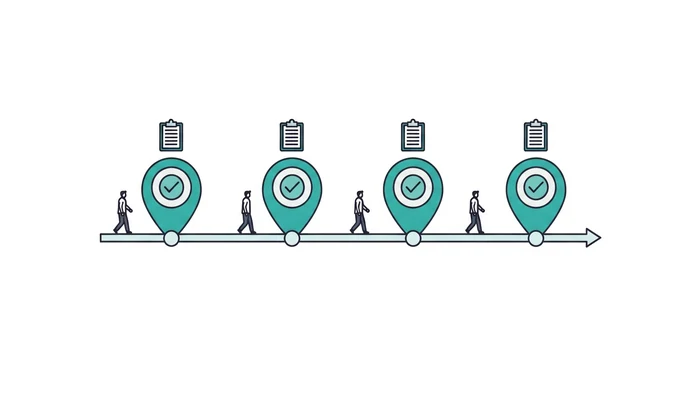
Evidence collection timeline for a 12-month Type II audit
The timeline below is based on Schellman's published guidance on how long a SOC examination takes.
| Period | Activity |
|---|---|
| Month 1 | Define the control list and observation period. Set up evidence collection processes. Create the evidence request list (ERL) spreadsheet. |
| Months 1-9 | Collect recurring evidence as it occurs: monthly monitoring reports, patch records, incident logs. Run quarterly access reviews on schedule. |
| Months 3, 6, 9 | Quarterly touchpoints: vulnerability scans, access reviews, policy reviews, risk assessment updates. |
| Month 10 | Pre-audit evidence review. Identify gaps and fill them before fieldwork begins. |
| Month 11 | Auditor fieldwork. Provide organized, pre-mapped evidence. Respond to auditor questions within agreed SLAs. |
| Month 12 | Address auditor follow-up requests. Review draft findings. Remediate any identified exceptions before report is finalized. |
Planning and preparation (scope alignment) runs two to five business days before fieldwork begins. Fieldwork itself runs five to seven weeks for evidence collection and two to four weeks for testing. Reporting takes two to three calendar weeks after testing closes.
Frequently Asked Questions

How far back does SOC 2 evidence need to go?
For a Type II report, evidence must cover the entire observation period, typically six to twelve months. For a Type I report, evidence only needs to show the state of controls at a single point in time. Your auditor sets the exact dates at engagement start.
Can the same evidence support multiple controls?
Yes. A single document often supports several controls. An access review report, for example, can support both the access provisioning control (CC6.2) and the monitoring activity control (CC4.1). Map these cross-references in your evidence request list so neither you nor the auditor has to track down the same document twice.
What format should evidence be in?
PDFs are the most common delivery format. System-generated reports, exported CSVs saved as PDFs, and screenshots in PDF are all accepted. Avoid raw data files that require specialized software to open. The auditor should be able to review all evidence without needing access to your production systems.
How long should I retain SOC 2 evidence after the audit closes?
Retention requirements depend on your industry, customer contracts, and applicable regulations. Absent a specific contractual or regulatory requirement, a seven-year retention window is a common editorial benchmark that compliance teams cite for covering most legal discovery and regulatory inquiry scenarios, but verify against any applicable regulations (SOX, HIPAA, GDPR) for your specific business. Cloud storage makes long-term retention inexpensive; implement a retention policy that deletes or archives evidence automatically at the end of the defined period.
What happens if I cannot produce evidence for a control?
The auditor issues an exception for that control. A single exception is usually manageable and does not prevent an unqualified opinion if it is isolated and remediated. Multiple exceptions across critical controls, particularly access management, change management, or monitoring, can result in a qualified opinion, which limits the report's usefulness to customers and prospects relying on it for vendor due diligence.
Should I give auditors direct access to our systems?
Some organizations provide read-only access to monitoring dashboards, identity providers, or ticketing systems. This can accelerate fieldwork by letting auditors pull evidence directly rather than waiting for exports. If you go this route, confirm with your auditor that appropriate access controls and audit logging are in place for their access. It is not a requirement, and many audits proceed entirely through evidence submission without direct system access.
Sources used
- AICPA & CIMA, "SOC Suite of Services," accessed 2026-05-12.
- AICPA Assurance Services Executive Committee, "2017 Trust Services Criteria (With Revised Points of Focus, 2022)," the criteria document evidence is collected against, accessed 2026-09-17.
- NIST, "SP 800-40 Rev. 4: Guide to Enterprise Patch Management Planning," accessed 2026-07-03.
- Schellman, "What Are the SOC 2 Trust Services Categories?" accessed 2026-05-12. https://www.schellman.com/blog/soc-examinations/soc-2-trust-services-criteria-with-tsc
- Schellman, "How Long Will Your SOC Examination Take?" accessed 2026-05-12. https://www.schellman.com/blog/soc-examinations/how-long-will-your-soc-examination-take
- Schellman, "The Cost of a SOC 2 Audit," accessed 2026-05-12. https://www.schellman.com/blog/soc-examinations/the-cost-of-soc-2-audit
- Schellman, "Which SOC Opinion Do You Want?" accessed 2026-05-12. https://www.schellman.com/blog/soc-examinations/which-soc-opinion-do-you-want
Last reviewed: 2026-10-02. This article was prepared by the Security Compliance Guide Editorial Team. We use AI to draft initial summaries of publicly available cybersecurity compliance documentation, then verify every claim against primary sources before publication. We are not licensed auditors, attorneys, or compliance consultants. For binding decisions, consult a qualified professional. See our editorial standards for full sourcing rules.