Web Application Penetration Testing Checklist
TL;DR
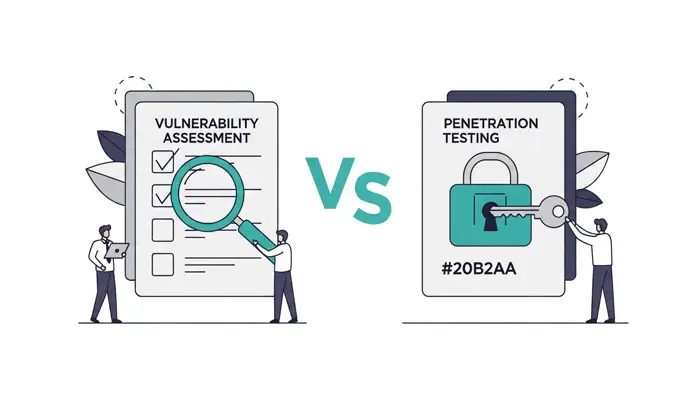
- A web app pen test is not a vulnerability scan. The tester chains weaknesses into proofs of compromise; a scanner only lists CVEs.
- Scope the test before kickoff: define in-scope URLs, test account credentials per role, and rules of engagement in writing.
- Every test must cover the OWASP Top 10 (2025), OWASP API Security Top 10 (2023), and business logic for your specific application.
- The OWASP Web Security Testing Guide v4.2 defines 12 test categories and 97 individual tests. Use it to verify that your vendor covered all 12.
- Reject any report without chained findings and proof-of-exploitation steps. Scanner output wrapped in a cover letter is not a pen test.
Who this is for
This checklist is written for SaaS founders, SMB engineering leads, and lean security teams preparing for or evaluating a web application pen test. If you need to satisfy an auditor, respond to a customer security questionnaire, or simply understand what a credible test should cover, this is the right starting point. Familiarity with HTTP and basic web security concepts is assumed but deep pen testing knowledge is not.
What a web application pen test covers

A web app pen test targets the application layer and the infrastructure directly supporting it: your code, your APIs, your authentication flows, the web server, the application server, and the database. It does not review third-party services your app depends on (Stripe, AWS, Auth0) unless those are explicitly in scope. Source code is out of scope by default unless you contract a white-box engagement.
The OWASP Web Security Testing Guide v4.2 organizes this work into 12 test categories and 97 individual tests:
| WSTG Category | Code | Tests |
|---|---|---|
| Information Gathering | WSTG-INFO | 10 |
| Configuration and Deployment | WSTG-CONF | 11 |
| Identity Management | WSTG-IDNT | 5 |
| Authentication | WSTG-ATHN | 10 |
| Authorization | WSTG-ATHZ | 4 |
| Session Management | WSTG-SESS | 9 |
| Input Validation | WSTG-INPV | 19 |
| Error Handling | WSTG-ERRH | 2 |
| Cryptography | WSTG-CRYP | 4 |
| Business Logic | WSTG-BUSL | 9 |
| Client-Side | WSTG-CLNT | 13 |
| API Testing | WSTG-APIT | 1 |
Most vendors do not cover all 97 tests on every engagement. Ask your vendor which WSTG categories they cover and which they exclude, and why.
Pre-engagement checklist
Poorly scoped engagements waste time and produce shallow results. Agree on all of the following before the tester starts:
- Define in-scope assets: production URL, staging URL, IP ranges, API endpoints, mobile apps if applicable.
- Define out-of-scope: third-party services, denial-of-service tests, social engineering, physical access.
- Provide test accounts: at least one per role (admin, customer, support agent, read-only, anonymous).
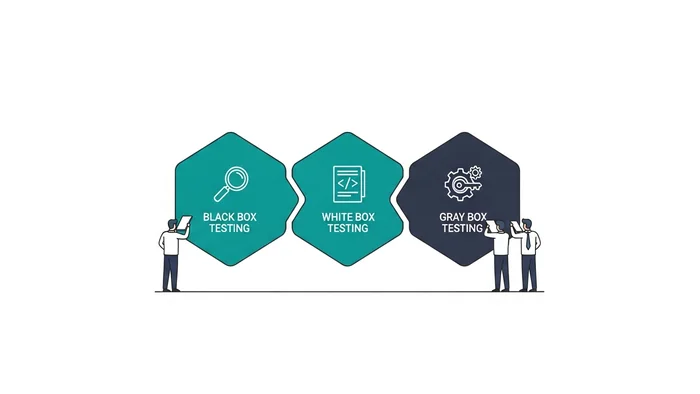
- Select test type: black box (URL only), gray box (credentials per role), or white box (credentials plus source code or architecture diagrams). Gray box is the most efficient for most SaaS apps.
- Select test environment: staging mirror is preferred over production to avoid WAF interference.
- Set test windows: business hours, off hours, or 24/7 with prior notice to on-call.
- Establish escalation contacts: who responds within the hour if the tester finds a critical remote code execution or data exfiltration path.
- Whitelist the tester's source IPs in your WAF/IDS so the test is not blocked mid-engagement.
- Sign a written authorization letter explicitly authorizing the test and naming the tester's firm, target systems, and test window. This is the legal instrument that distinguishes the test from an attack.
- Define the deliverable: report format, executive summary, technical findings, CVSS scoring, retest scope and timeline.
The most common scoping mistake is skipping the WAF whitelist. The tester's requests get blocked, the client assumes the app is more secure than it is, and the tester bills for time spent debugging connectivity.
OWASP Top 10 (2025): the foundational checklist
OWASP published the 2025 edition of the Top 10 at owasp.org/Top10/2025/. The 2021 edition was the baseline cited in many compliance frameworks through 2025; verify which edition your auditor references before the engagement, as framework-specific mapping to a Top 10 edition varies by auditor.
| Category | What testers check |
|---|---|
| A01:2025 Broken Access Control | Forced browsing, IDOR, privilege escalation, missing authorization checks on state-changing endpoints |
| A02:2025 Security Misconfiguration | Default credentials, exposed admin panels, verbose error messages, missing security headers, cloud storage permissions |
| A03:2025 Software Supply Chain Failures | Unverified dependencies, compromised build pipeline artifacts, outdated third-party libraries with known CVEs |
| A04:2025 Cryptographic Failures | Weak encryption algorithms, plain-text credential storage, missing TLS, exposed sensitive data in transit or at rest |
| A05:2025 Injection | SQL, NoSQL, command, LDAP, XPath, template injection; XSS in all output contexts |
| A06:2025 Insecure Design | Missing rate limiting, absent CAPTCHA, price and quantity tampering, race conditions in business flows |
| A07:2025 Authentication Failures | Weak password policy, missing MFA, session fixation, predictable session IDs, credential stuffing vectors |
| A08:2025 Software or Data Integrity Failures | Insecure deserialization, unsigned software updates, missing CI/CD integrity checks |
| A09:2025 Security Logging and Alerting Failures | Missing audit logs, no alerting on authentication failures or high-value transactions, no log retention |
| A10:2025 Mishandling of Exceptional Conditions | Unhandled exceptions that expose stack traces, inconsistent error handling that leaks internal state |
A thorough tester chains categories. An IDOR (A01) combined with a missing rate limit (A06) and verbose error output (A02) can produce a full account takeover chain. That chain is what distinguishes a pen test from a scan.
Information gathering and configuration checks (WSTG-INFO / WSTG-CONF)

Before testing authentication or injection, a tester maps the attack surface. The WSTG-INFO category covers 10 reconnaissance tests:
- Search engine disclosure: sensitive files (backups, configuration, source code) indexed by Google or Bing.
- Web server and framework fingerprinting: version disclosure via headers (
Server:,X-Powered-By:), error pages, and default files. - Webserver metafiles:
robots.txt,sitemap.xml, and.well-known/entries that expose undocumented endpoints. - Application entry points: all forms, query parameters, cookie values, JSON request bodies, and file upload endpoints.
- Architecture mapping: load balancer behavior, CDN cache poisoning vectors, DNS subdomains hosting admin or staging environments.
Configuration testing (WSTG-CONF, 11 tests) then checks what the recon found:
- HTTP security headers:
Content-Security-Policy,Strict-Transport-Security,X-Frame-Options,X-Content-Type-Options,Referrer-Policy,Permissions-Policy. - TLS configuration: protocol versions (TLS 1.0 and 1.1 should be disabled), cipher suites, certificate validity.
- HTTP methods:
TRACE,DELETE,PUTenabled on endpoints that do not require them. - File permission and directory listing exposure.
- Application platform configuration: default credentials on admin panels, exposed management consoles, debug mode active in production.
Authentication and session management checks (WSTG-ATHN / WSTG-SESS)
Authentication is where most production breaches begin. WSTG covers 10 authentication tests and 9 session management tests.
Login endpoint:
- Brute force protection: rate limiting and account lockout after repeated failures. The lockout threshold and duration should be documented.
- Username enumeration: error messages must return an identical response whether the account exists or not.
- TLS enforcement: login pages must redirect HTTP to HTTPS. A tester should verify that the redirect happens before credentials are transmitted.
- Credential stuffing: test whether known-compromised credentials (available from public breach datasets) are rejected at login.
Password reset:
- Token entropy: NIST SP 800-63B (csrc.nist.gov/publications/detail/sp/800-63b/final) recommends at least 20 bits of entropy for out-of-band authenticators. Password reset tokens should meet or exceed 128 bits.
- Token expiration: tokens must be single-use and expire in a short window. An unexpired token that can be reused is a credential theft vector.
- Account enumeration: the reset flow must return the same response regardless of whether the submitted email address matches a registered account.
MFA:
- MFA bypass via direct API call: the tester should attempt to skip the MFA step by calling authenticated endpoints directly after the first authentication factor.
- Backup code storage: backup codes should be stored hashed, not in plain text.
- WebAuthn/FIDO2 support reduces phishing risk. Its absence is a finding for high-risk applications.
Sessions:
- Session ID entropy: minimum 128 bits.
- Session timeout: an idle session that never expires is a finding. For financial or healthcare applications, 15-30 minutes is a widely cited industry benchmark; the specific threshold depends on your compliance framework and risk classification.
- Session invalidation on logout, password change, and MFA enrollment change.
- Cookie flags:
HttpOnly,Secure, andSameSite=StrictorSameSite=Laxmust all be set. - Session fixation: a new session ID must be issued at login. Reusing the pre-authentication session ID is a classic session fixation vector.
Authorization and access control checks (WSTG-ATHZ)
WSTG-ATHZ defines four authorization tests. Most real-world authorization findings fall into one of three levels:
Role-level authorization:
- Test each role (admin, manager, read-only, support, anonymous) against every endpoint and HTTP method.
- Attempt role escalation via UI parameter tampering and direct API calls.
- Verify that access is revoked immediately on account suspension or termination, not at next login.
Resource-level authorization (IDOR):
- Test direct object references in URLs and request bodies:
orderId,userId,invoiceId,projectId. - Sequential IDs, predictable patterns, and UUID-based IDs each carry different risk profiles and should be tested separately.
- The tester should confirm that authenticated user A cannot access user B's resources by changing the ID value.
Action-level authorization:
- Read-only roles must not be able to trigger write or delete operations.
- Bulk operations must enforce per-record authorization, not just top-level role checks.
Multi-tenancy isolation:
- For SaaS apps serving multiple customer organizations, verify that a user from organization A cannot access organization B's data by manipulating tenant ID parameters in URLs, request bodies, API calls, or shared cache keys.
- Cross-tenant leakage through shared log storage or shared object storage buckets is a common finding on multi-tenant SaaS builds.
Injection and input validation checks (WSTG-INPV)

WSTG-INPV is the largest category at 19 tests. The following are the highest-priority injection vectors for web applications:
- SQL injection: every database query parameter, including search fields, filter controls, sort parameters, and pagination. Parameterized queries prevent this; raw string concatenation does not.
- NoSQL injection: MongoDB and DynamoDB accept query operators in JSON. A field that expects a string but receives
{"$gt": ""}is a NoSQL injection vector. - Command injection: any input that flows to a shell command, file path, or system call. File upload handling and archive extraction are common vectors.
- Server-side template injection (SSTI): any input rendered by a template engine (Jinja2, Handlebars, Liquid, Pebble). SSTI can escalate to remote code execution on some engines.
- XML external entity (XXE): XML parsers that process external entity declarations can be used to read files from the server filesystem or initiate SSRF.
- Cross-site scripting (XSS): all output rendered in HTML, JavaScript attribute values, JSON responses consumed by JavaScript, or other client-rendered contexts.
- Open redirect: any redirect URL that includes user-controlled input. Open redirects are phishing vectors and often chain with OAuth flows.
- HTTP header injection: inputs that flow into response headers (
Location:,Set-Cookie:,Content-Disposition:) without sanitization.
Modern frameworks (React, Vue, Rails, Django) provide default output encoding that prevents most XSS and many injection paths. The risk concentration is in bespoke query construction, file handling, and any integration point that bypasses framework defaults.
API security checks (WSTG-APIT / OWASP API Security Top 10)
Most modern web applications run a SPA frontend against a backend API. The OWASP API Security Top 10 (2023) defines the most common API-specific failure categories:
| Category | What testers check |
|---|---|
| API1:2023 Broken Object Level Authorization | IDOR on REST and GraphQL endpoints; accessing other users' objects by changing identifiers |
| API2:2023 Broken Authentication | JWT signature bypass (alg=none), token reuse after logout, missing token expiration, weak signing secrets |
| API3:2023 Broken Object Property Level Authorization | Mass assignment (sending undocumented properties in PUT/PATCH), excessive data in responses exposing fields the client should not receive |
| API4:2023 Unrestricted Resource Consumption | Missing rate limits on expensive endpoints, absent pagination caps on list queries, no timeout on long-running operations |
| API5:2023 Broken Function Level Authorization | Hidden admin endpoints accessible by non-admin users, role check absent on specific function types (export, bulk delete, impersonation) |
| API6:2023 Unrestricted Access to Sensitive Business Flows | Bot abuse of high-value flows: bulk account creation, referral abuse, purchase replay, free trial cycling |
| API7:2023 Server-Side Request Forgery | Endpoints that fetch user-supplied URLs server-side without validating the destination against an allowlist |
| API8:2023 Security Misconfiguration | Verbose error responses, default credentials on API gateways, missing security headers on API responses |
| API9:2023 Improper Inventory Management | Old API versions still accessible, undocumented endpoints reachable in production, development endpoints deployed to prod environments |
| API10:2023 Unsafe Consumption of APIs | Third-party API responses passed through to the application or database without validation |
API testing requires more than browser traffic interception. Provide the tester with your OpenAPI spec, GraphQL schema, or Postman collection. Without it, unused and undocumented endpoints (API9) are frequently missed.
Business logic testing (WSTG-BUSL)
WSTG-BUSL defines 9 tests for business logic. Automated tools cannot detect these failures because the expected behavior is specific to your application. The tester must understand your business logic before they can test it.
Business logic test cases to include in scope:
- Price and quantity manipulation: change item prices or quantities in POST/PUT bodies before submission.
- Currency manipulation: alter the currency parameter in checkout requests to one with a different exchange rate.
- Discount and coupon abuse: stack coupons, reuse single-use codes, apply codes to ineligible items.
- Race conditions: send parallel requests to exhaust a single-use token, bypass a rate limit, or apply a coupon multiple times.
- Workflow bypass: skip required steps in a multi-step process (checkout, account verification, payment confirmation).
- TOCTOU bugs: read a permission, delay, then act on the permission after it has changed.
- Account creation abuse: mass account creation for referral fraud, free trial cycling, or rate limit evasion at the account level.
A credible pen test report for a transactional SaaS app should include at least a few business logic findings. Zero business logic findings on a complex checkout or subscription flow usually signals an automated-only engagement.
Error handling and cryptography checks (WSTG-ERRH / WSTG-CRYP)
Error handling (2 tests):
- Application error messages must not disclose stack traces, database table names, internal file paths, or framework versions.
- HTTP error responses (400, 403, 404, 500) must return a consistent, sanitized message body regardless of the failure mode.
Cryptography (4 tests):
- TLS versions: TLS 1.0 and 1.1 must be disabled. TLS 1.3 is preferred.
- Certificate validity: expired, self-signed, or wildcard certificates with overly broad scope are findings.
- Sensitive data at rest: passwords stored using bcrypt, scrypt, or Argon2. MD5 and SHA-1 password hashes are critical findings.
- Padding oracle and other cipher suite attacks: verified against the cipher suite list returned during TLS handshake.
Client-side testing (WSTG-CLNT)
Client-side testing covers 13 tests. Key areas for SaaS applications:
- Content Security Policy (CSP): an absent or permissive CSP (
unsafe-inline, wildcard*sources) is a finding because it enables XSS escalation. - DOM-based XSS: input written directly to the DOM via
innerHTML,document.write, orevalwithout encoding. - Clickjacking: missing
X-Frame-Optionsor CSPframe-ancestorsdirective allows the app to be embedded in a malicious iframe. - Cross-origin resource sharing (CORS):
Access-Control-Allow-Origin: *on authenticated endpoints or CORS that reflects theOriginheader unconditionally. - localStorage and sessionStorage: sensitive tokens or credentials stored client-side and accessible to any same-origin JavaScript.
- Subresource integrity (SRI): third-party scripts loaded without
integrityattributes are supply chain injection vectors.
Reading the pen test report
Each finding in a credible report should include:
- Severity (Critical, High, Medium, Low, Informational) with a CVSS 3.1 base score.
- The affected URL or component.
- Steps to reproduce, with curl commands or Burp Suite screenshots showing the request and response.
- Impact: what a real attacker could do with this finding (data exfiltration, account takeover, privilege escalation).
- Remediation recommendation.
- References to CWE identifiers and OWASP test IDs.
Two red flags that indicate you received a scan report, not a pen test report:
No chained findings. Real pen tests produce chains. A CORS misconfiguration (WSTG-CLNT) that allows reading a privileged API endpoint (WSTG-ATHZ) from a third-party origin is more impactful than either finding alone. A report with 20 isolated mediums and no chains is likely scanner output.
No proof of exploitation. "Possible SQL injection on /api/search" is not a finding. "SQL injection on /api/search confirmed; tester extracted the users table schema and two sample rows using a time-based blind payload" is a finding. Ask for reproduction steps before accepting the report.
Pre-test prep: five steps
- Stage the environment. Test against a staging mirror that mirrors production, unless the contract explicitly requires production testing.
- Define scope in writing. In-scope domains, out-of-scope endpoints, and rules of engagement before kickoff. Verbal agreements are not engagement documents.
- Brief engineering and on-call. Warn on-call, temporarily mute false-positive alerts for the tester's source IPs, and establish a daily standup with the testers during the engagement window.
- Provision test accounts. At minimum: one admin, one standard user, one read-only role, one unauthenticated session.
- Confirm reporting timelines. When the draft report is due, who triages findings, who signs off on the remediation plan, and when the retest is scheduled.
Mini-FAQ
How often should we run a web application pen test?
Annually at minimum for most compliance frameworks. Quarterly for high-risk applications: fintech, healthcare, identity providers. Also after any major architectural change (new authentication system, new API, new payment flow).
PCI DSS v4.0 (pcisecuritystandards.org) requires an annual external penetration test and a test after significant infrastructure or application changes. The exact requirement is in Requirement 11.4 of PCI DSS v4.0.
How long does a web application pen test take?
Duration depends on scope. The NIST SP 800-115 technical guide (2008) defines security testing phases without mandating timelines; actual duration is determined by scope, complexity, and test type. As a general vendor-reported estimate, gray box testing of a small SaaS application (10-20 endpoints, 3 roles) typically runs 5-10 business days; a mid-market application with complex APIs and business logic runs 10-20 days. Ask the vendor to break out testing days from reporting days in their proposal.
What is the difference between black box, gray box, and white box testing?
Black box: the tester receives only the target URL. Gray box: the tester receives valid credentials for each role. White box: the tester receives credentials, source code, and architecture documentation.
Gray box is the most common and produces the best return on testing days. Black box wastes time on reconnaissance that could be spent on application logic. White box finds deeper vulnerabilities but costs more and requires trusting the vendor with your source code.
What does SOC 2 require around pen testing?
SOC 2 under the AICPA's Trust Services Criteria (specifically CC7.1) requires that organizations perform periodic security testing. It does not mandate a specific test type or frequency. In practice, auditors expect an annual external web application pen test as evidence for CC7.1. Critical and High findings should be remediated before the SOC 2 report period ends. Medium and Low findings may be tracked in a formal remediation plan.
Can internal engineers run the pen test?
Internal testing is permitted by most frameworks as a supplemental control. PCI DSS v4.0 Requirement 11.4.2 permits an internal tester for the internal network penetration test but requires the tester to be organizationally independent of the systems being tested. An external, qualified tester is required for the external penetration test. For SOC 2, external testing is strongly preferred by auditors because it demonstrates independence.
Do we need a separate test for our mobile app?
Yes. The mobile client surface includes vulnerabilities outside the scope of a web application pen test: insecure local storage, weak or missing certificate pinning, reverse engineering exposure, and platform-specific API misuse (iOS Keychain, Android Keystore). If your mobile app authenticates to the same backend API, the API surface can be tested jointly; the device-level findings require a separate mobile assessment.
Sources
- OWASP Top 10:2025. https://owasp.org/Top10/2025/, accessed 2026-05-12.
- OWASP API Security Top 10 (2023). https://owasp.org/API-Security/editions/2023/en/0x11-t10/, accessed 2026-05-12.
- OWASP Web Security Testing Guide v4.2. https://owasp.org/www-project-web-security-testing-guide/v42/, accessed 2026-05-12.
- NIST SP 800-115, Technical Guide to Information Security Testing and Assessment (September 2008). https://csrc.nist.gov/publications/detail/sp/800-115/final, accessed 2026-05-12.
- NIST SP 800-63B, Digital Identity Guidelines: Authentication and Lifecycle Management. https://csrc.nist.gov/publications/detail/sp/800-63b/final, accessed 2026-05-12.
- PCI DSS v4.0, Requirement 11.4 (Penetration Testing). PCI Security Standards Council. https://www.pcisecuritystandards.org/, accessed 2026-05-12.
- AICPA Trust Services Criteria (SOC 2), CC7.1. https://www.aicpa-cima.com/resources/article/soc-2-overview, accessed 2026-05-12.
Last reviewed: 2026-05-12. This article was prepared by the Security Compliance Guide Editorial Team. We use AI to draft initial summaries of publicly available cybersecurity compliance documentation, then verify every claim against primary sources before publication. We are not licensed auditors, attorneys, or compliance consultants. For binding decisions, consult a qualified professional. See our editorial standards for full sourcing rules.