NIST MFA Standards: What SP 800-63B-4 Requires at Each Level
NIST MFA standards are the multi-factor authentication rules in NIST Special Publication 800-63B-4, Digital Identity Guidelines: Authentication and Authenticator Management. NIST published the fourth revision in July 2025, and it supersedes the 2017 version (last updated March 2020). It sorts every login into one of three Authenticator Assurance Levels (AAL1, AAL2, AAL3) and says which factors, which protocols, and which timeouts each level allows.
The short answer most teams need: AAL2 requires two distinct factors and requires the verifier to offer at least one phishing-resistant option. AAL3 requires a phishing-resistant cryptographic authenticator whose private key cannot leave the device. SMS codes still count at AAL2, but NIST now labels them "restricted". Email codes do not count at all. A push prompt that only asks the user to approve does not qualify.
Quotes below keep NIST's own SHALL and SHOULD wording, because the difference between the two decides whether something is a requirement or a recommendation.
The Three Authenticator Assurance Levels at a Glance
NIST's own summary table in Section 2 of SP 800-63B-4 compresses to the comparison below. The reauthentication figures are NIST's recommended maximums, except the AAL3 12-hour overall limit, which is a SHALL.
| Requirement | AAL2 | AAL3 |
|---|---|---|
| Factors | Two distinct factors (one multi-factor authenticator, or password/biometric plus a physical authenticator) | Cryptographic authenticator plus an activation factor or password |
| Phishing resistance | Must be offered; recommended; required for federal staff and contractors | Required |
| Replay resistance | Required | Required |
| Private key export (synced passkeys) | Permitted | Prohibited |
| Reauthentication | 24 hours overall, 1 hour inactivity | 12 hours overall, 15 minutes inactivity |
AAL1: Single Factor Allowed, MFA Encouraged

AAL1 gives "basic confidence" that the person logging in controls the account. A password alone meets it. So does a single-factor one-time password (OTP) device, a look-up secret, or a single-factor cryptographic key.
The interesting line is a SHOULD: verifiers "SHOULD make multi-factor authentication options available at AAL1 and encourage their use."
AAL1 is not acceptable for federal services that expose personal information. NIST states that federal agencies "SHALL select a minimum of AAL2 when personal information is made available online", citing Executive Order 13681. If an agency portal shows a user their own records, a password alone is not enough.
AAL2: Two Factors and a Phishing-Resistant Option
AAL2 is the level most organizations mean when they say "we follow NIST MFA". It requires proof of two distinct factors through secure protocols, with approved cryptography.
There are two ways to get there:
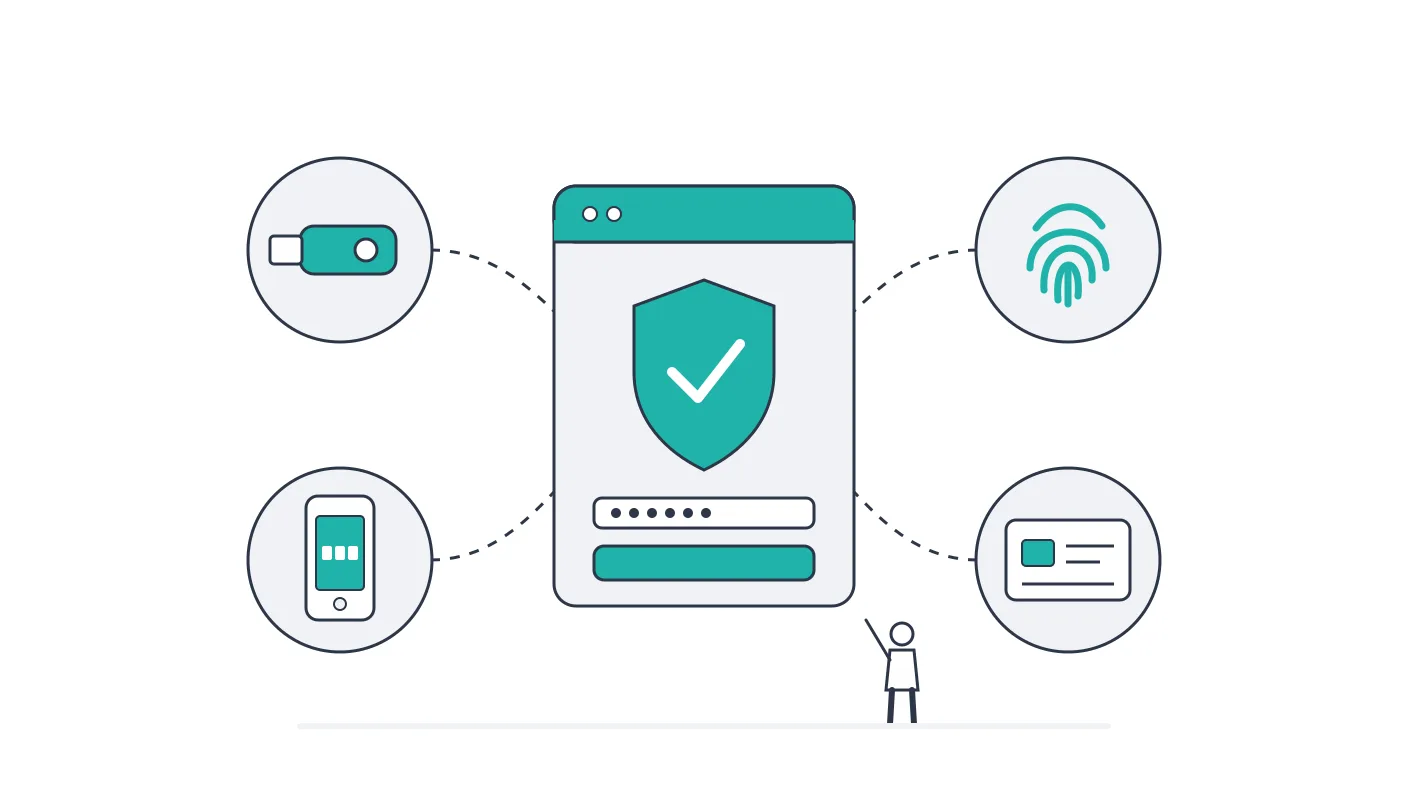
- One multi-factor authenticator: a multi-factor out-of-band app, a multi-factor OTP device, or a multi-factor cryptographic authenticator (for example, a passkey unlocked by a fingerprint or PIN).
- Two single-factor authenticators: a password or biometric comparison, plus one physical "something you have" item. The physical item can be a look-up secret (printed backup codes), an out-of-band device, a single-factor OTP device, or a single-factor cryptographic key.
Three AAL2 rules carry most of the weight:
- Replay resistance (SHALL). At least one authenticator must produce an output that cannot be reused. One-time codes and cryptographic challenges meet this. A static second password does not.
- A phishing-resistant option (SHALL). "Verifiers SHALL offer at least one phishing-resistant authentication option at AAL2." Users do not have to pick it, but it has to exist.
- Federal workforce (SHALL). "Federal agencies SHALL require their staff, contractors, and partners to use phishing-resistant authentication to access federal information systems."
The second rule is new in revision 4 and easy to miss. If your AAL2 login only offers SMS and authenticator-app codes, it does not meet SP 800-63B-4, even though every factor it accepts is individually permitted.
Session rules at AAL2 come from Section 2.2 of SP 800-63B-4. The overall reauthentication timeout SHOULD be no more than 24 hours. The inactivity timeout SHOULD be no more than one hour.
AAL3: Hardware-Backed, Phishing-Resistant Keys
AAL3 gives "very high confidence". It requires proof of possession of a cryptographic key through a cryptographic protocol, plus either an activation factor or a password.
The permitted combinations are narrow: a multi-factor cryptographic authenticator, or a single-factor cryptographic authenticator used with a password or biometric comparison. Every AAL3 authenticator SHALL:
- Have a non-exportable private key held in a hardware-protected, isolated environment.
- Provide phishing resistance as defined in Section 3.2.5.
- Use a replay-resistant protocol and public-key cryptography.
- Show authentication intent on every authentication and reauthentication, such as a touch on a security key.
- Be validated to FIPS 140 Level 1 or higher overall.
Under Section 2.3 of SP 800-63B-4, the overall reauthentication timeout at AAL3 SHALL be no more than 12 hours, and the inactivity timeout SHOULD be no more than 15 minutes. Unlike AAL2, a returning AAL3 user repeats the full AAL3 login.
In practice, AAL3 means a FIDO2 hardware security key, a device-bound passkey kept in protected hardware such as a TPM or secure chip, or a PIV or CAC smart card. A synced passkey cannot meet it, for the reason covered in the next section.
NIST MFA Requirements, Method by Method

Here is how SP 800-63B-4 treats each one, based on the authenticator requirements in Section 3.
SMS and voice codes: allowed, but "restricted"
A code sent by text message or phone call uses the public switched telephone network (PSTN). NIST states that "there is one restricted authenticator: the use of the PSTN for out-of-band authentication." Restricted does not mean banned. It means an organization that accepts it SHALL:
- Offer at least one alternative authenticator that is not restricted and works at the required AAL.
- Give users meaningful notice of the security risks and of the unrestricted alternatives.
- Cover the added risks in its risk assessment, and put a migration plan, for the possibility that the authenticator stops being acceptable, in its Digital Identity Acceptance Statement.
NIST also says verifiers SHOULD check risk signals such as a SIM change, a device swap, or number porting before sending a code by SMS.
So, is SMS MFA still acceptable under NIST in 2026? At AAL2, yes, with those conditions. At AAL3, no. For federal staff, no: phishing-resistant authentication is required.
Email codes: not an authenticator
SP 800-63B-4 is blunt: "Email SHALL NOT be used for out-of-band authentication." A six-digit code emailed to the user does not count as a second factor under NIST. Email confirmation codes used to verify an address or as account recovery codes are treated separately and are not covered by that prohibition.
Authenticator app codes (TOTP): allowed, not phishing-resistant
A time-based code from an app like Google Authenticator or Microsoft Authenticator is a single-factor OTP authenticator. It is acceptable as the "something you have" half of AAL2. It is not phishing-resistant, because the user types the code. NIST states that authenticators involving "the manual entry of an authenticator output (e.g., out-of-band and OTP authenticators) SHALL NOT be considered phishing-resistant". A fake login page can relay the code to the real site in real time.
Push notifications: number matching or nothing
This is the biggest practical change in revision 4. NIST describes a push style that shows a code on both the login screen and the phone, then asks the user to compare them and approve. The guidelines now say this method "is no longer considered acceptable", because users approve without really comparing. Attackers exploit that by sending repeated requests until a tired user approves (the "authentication fatigue" attack). A prompt with nothing to compare, just an Approve button, transfers no secret at all and does not meet the out-of-band rules either.
What remains acceptable is push that transfers a secret between devices: the login screen shows a number, and the user types that number into the phone app (or scans a QR code). Vendors usually call this "number matching". Verifiers that send push notifications SHOULD also cap how many they send since the last successful login. CISA's guidance on phishing-resistant MFA describes number matching the same way, with the user entering the number into the app. It lists number-matching push, alongside app and token codes, among the best options for small and medium-sized businesses that cannot immediately implement phishing-resistant MFA.
Number-matching push is still out-of-band authentication, and NIST states plainly that "out-of-band authentication is not phishing-resistant."
FIDO2 security keys and passkeys: phishing-resistant
WebAuthn, the standard behind FIDO2 security keys and passkeys, is NIST's own example of phishing resistance through "verifier name binding". The key signs a response tied to the website's domain, so a look-alike domain gets nothing it can use.
The difference between passkey types matters:
- Synced passkeys (copied across devices through Apple, Google, Microsoft, or a password manager) can be used up to AAL2. Appendix B of SP 800-63B-4 adds conditions, including that access to the sync account itself be protected by AAL2-equivalent MFA. Because syncing means the key can be exported, "syncable authenticators SHALL NOT be used at AAL3."
- Device-bound passkeys and hardware security keys keep the private key inside the device and can reach AAL3 if they meet the FIPS 140 and other AAL3 conditions.
PIV and CAC smart cards: phishing-resistant
Federal Personal Identity Verification (PIV) and Common Access Card (CAC) cards authenticate through client-authenticated TLS. NIST cites them as the example of "channel binding", the stronger of its two phishing-resistance methods, because it does not depend on the verifier's certificate being trustworthy.
Biometrics: only as part of MFA
NIST allows biometrics with tight limits. A biometric is never an authenticator by itself: it SHALL only be used as part of MFA with a physical authenticator, and voice comparison SHALL NOT be used. A non-biometric alternative SHALL always be offered.
Under the biometric requirements in Section 3.2.3, failed attempts are capped at five in a row (10 if presentation attack detection meets NIST's bar) before delays kick in. Local matching on the user's own device, such as a fingerprint unlocking a security key, is the preferred pattern.
What NIST Means by "Phishing-Resistant"
NIST defines phishing resistance as the ability of the authentication protocol to keep secrets and valid outputs away from an impostor verifier. It has to do this "without relying on the vigilance of the claimant." In other words, it must work even when the user is fooled. Only cryptographic authenticators qualify, through one of two mechanisms:
- Channel binding: the authenticator signs a value tied to the specific encrypted connection. PIV and CAC cards over client-authenticated TLS are NIST's example. NIST calls this the more secure of the two.
- Verifier name binding: the authenticator's response is tied to the verified domain name of the site. WebAuthn (FIDO2 keys and passkeys) is NIST's example.
CISA describes phishing-resistant MFA as "the gold standard" and states that "the only widely available phishing-resistant authentication is FIDO/WebAuthn authentication", with PKI-based smart cards as the less widely available alternative.
Verifier Requirements Most MFA Rollouts Miss
Picking a method is half the job. Section 3 of SP 800-63B-4 also puts SHALL-level duties on whoever runs the login service. These are the ones audits and pen tests tend to catch:
- Out-of-band codes expire in 10 minutes. An SMS or push code that has not been used within 10 minutes SHALL be treated as invalid, and each code SHALL be accepted only once.
- Codes are at least six digits. Out-of-band secrets SHALL be at least six decimal digits (or equivalent) from an approved random bit generator.
- Resending a code does not reset the counter. "Generating a new authentication secret SHALL NOT reset the failed authentication count."
- No more than 100 consecutive failures. The verifier SHALL disable an authenticator after at most 100 consecutive failed attempts on one account, and SHALL require it to be bound again before reuse. Lower limits are allowed.
- Setting a new phone number is binding a new authenticator. Changing the phone number used for SMS codes SHALL follow the same process as adding a new authenticator, not a simple profile edit.
If you run an identity provider such as Okta, Microsoft Entra ID, or Google Workspace, most of these are settings, not code. Check your own configuration: confirm that email codes and approve-only or compare-and-approve push are switched off as second factors, not just left unused.
Account Recovery: The Back Door Around Strong MFA
A passkey on the login page does little if a lost passkey can be replaced through one emailed link. Whoever controls that inbox then controls the account, and the phishing-resistant factor never comes into play. SP 800-63B-4 closes this route in its account recovery rules in Section 4.2, a part of the document that most MFA write-ups skip.
To recover an account that can authenticate at a maximum of AAL2, the service SHALL require one of three things:
- Two recovery codes obtained through different methods: a saved code issued at enrollment, a code sent to a recovery address, or a code sent to a trusted recovery contact.
- One recovery code plus authentication with a single-factor authenticator still bound to the account.
- Repeated identity proofing, if the account was identity-proofed in the first place.
A single code sent to an email address satisfies none of these on its own. Issued recovery codes also expire: at most 10 minutes when sent by text message or voice, and at most 24 hours when sent to an email address. Every account recovery SHALL trigger a notification to the subscriber, so a hijacked recovery leaves a trace the real owner can see.
AAL3 recovery follows the same rules unless the account was proofed at IAL3. In that case the service SHALL perform a biometric comparison against the sample collected at the initial on-site, attended proofing session.
The practical test is short. Walk through your own "lost my phone" flow and count what it asks for. If the answer is one emailed link, the account is only as strong as the inbox, whatever the login screen demands.
Which Rules Point Back to NIST MFA Standards
SP 800-63B-4 is binding on federal agencies. For everyone else, it arrives through other rules:
Federal agencies: OMB M-22-09
The Office of Management and Budget's memorandum M-22-09, the federal zero trust strategy issued in January 2022, set the bar that 800-63B-4 now writes down. For agency staff, contractors, and partners, "phishing-resistant MFA is required"; for public users, it "must be an option". For routine self-service access by staff, it told agencies to drop methods that fail to resist phishing, naming "protocols that register phone numbers for SMS or voice calls, supply one-time codes, or receive push notifications." Our NIST 800-207 zero trust guide covers the wider strategy.
Federal systems and contractors: NIST SP 800-53
NIST SP 800-53 Rev. 5 control IA-2 has the MFA enhancements: IA-2(1) requires MFA for privileged accounts, IA-2(2) for non-privileged accounts, and IA-2(8) requires replay-resistant authentication. All three, plus IA-2(12) for PIV credentials, sit in both the Low and Moderate baselines of SP 800-53B. FedRAMP builds its baselines on SP 800-53, which is why MFA for privileged and non-privileged accounts is part of every authorization covered in our FedRAMP authorization guide. The control-by-control view is in our NIST 800-53 controls guide.
Financial institutions: FTC Safeguards Rule
The FTC's Safeguards Rule under the Gramm-Leach-Bliley Act requires covered businesses to "implement multi-factor authentication for any individual accessing any information system, unless your Qualified Individual has approved in writing the use of reasonably equivalent or more secure access controls" (16 CFR 314.4(c)(5)). The rule does not name an AAL, but NIST 800-63B is the obvious yardstick for "reasonably equivalent or more secure". See our GLBA compliance guide.
Healthcare: the proposed HIPAA Security Rule update
HHS published a proposed rule to update the HIPAA Security Rule on January 6, 2025. It would require regulated entities to "deploy multi-factor authentication to all technology assets" in their relevant electronic information systems, and for any action that changes a user's privileges. As of October 2026, no final rule has been published in the Federal Register. Today's requirement is the risk-based access and authentication standards covered in our HIPAA Security Rule safeguards guide.
PCI DSS, SOC 2, and ISO 27001
These frameworks require strong authentication without adopting NIST's AAL model, and many teams use NIST 800-63B as their reference for "strong". PCI DSS v4.0.1, the current version, sets its MFA requirements in Requirement 8, covered in our PCI DSS 4.0 requirements guide. ISO 27001 handles it through Annex A control 8.5, Secure authentication, explained in our Annex A controls guide.
Choosing an MFA Method Against NIST
Use the level you need to defend, not the method you already own, to make the choice.
| Method | Highest NIST level | Phishing-resistant? |
|---|---|---|
| SMS or voice code | AAL2, as a restricted authenticator | No |
| Email code | Not accepted as an authenticator | No |
| Authenticator app code (TOTP) | AAL2 | No |
| Push with number matching (user types the code) | AAL2 | No |
| Push with tap-to-approve or compare-and-approve | Not acceptable | No |
| Synced passkey | AAL2 | Yes |
| FIDO2 security key or device-bound passkey | AAL3 (if FIPS 140 validated) | Yes |
| PIV or CAC smart card | AAL3 | Yes |
A sensible default for a private company has three tiers. Offer synced passkeys to all staff, which also meets the AAL2 rule that a phishing-resistant option exist, and keep an authenticator app for people who cannot use a passkey yet. Give hardware security keys to administrators, finance, and anyone with production access. Keep SMS only as a documented fallback.
Consider a hypothetical company (an illustration, not a real client) whose identity provider offers only SMS codes and tap-to-approve push. Against SP 800-63B-4, it misses on three counts: no phishing-resistant option, a push style NIST does not accept, and SMS with no unrestricted alternative. Turning on passkeys and number matching closes all three gaps without replacing the identity provider. The SMS user notice and migration plan still have to be written.
NIST MFA Rollout Checklist
- Decide the AAL per system. Customer portal, workforce SSO, and admin consoles rarely need the same level. Record the decision and the reason.
- Turn off email as a second factor. NIST does not accept it.
- Turn off tap-to-approve and compare-and-approve push. Require number matching, where the user types the code shown at login, and cap repeated push prompts.
- Offer a phishing-resistant option at AAL2. Passkeys are the lowest-friction way to meet the SHALL.
- Require phishing-resistant MFA for privileged users. Use hardware keys or device-bound passkeys for administrators.
- Treat SMS as restricted. Keep an alternative, tell users the risk, check SIM-change signals, and write the migration plan.
- Set timeouts and code rules. Use the AAL2 and AAL3 session limits and the six-digit, 10-minute, 100-failure verifier rules above.
- Harden recovery. Changing a phone number or adding a key is binding a new authenticator. Protect it like a login, and make account recovery require two recovery codes from different methods, or one code plus a factor that is still bound.
- Write it down. Auditors for SOC 2, ISO 27001, PCI DSS, and HIPAA can ask how your MFA policy maps to a standard. Mapping it to SP 800-63B-4 gives them one.
Frequently Asked Questions
Does NIST still allow SMS for two-factor authentication?
Yes, at AAL2 only, and as a "restricted" authenticator. An organization that accepts SMS must offer an unrestricted alternative, warn users about the risks, and keep a migration plan. SMS is not allowed at AAL3, and federal staff must use phishing-resistant methods instead.
What does NIST consider phishing-resistant authentication?
Cryptographic authentication that binds its response to the connection (channel binding, as with PIV cards) or to the website's verified domain (verifier name binding, as with FIDO2 and WebAuthn). Any method where the user types a code, including authenticator apps and SMS, is not phishing-resistant under SP 800-63B-4.
Are passkeys NIST compliant?
Synced passkeys can be used up to AAL2 if the sync account is itself protected by AAL2-equivalent MFA. They cannot be used at AAL3, because syncing makes the private key exportable. Device-bound passkeys and FIDO2 security keys can reach AAL3 when they meet the FIPS 140 and hardware-protection requirements.
Is push notification MFA allowed under NIST 800-63B-4?
Only if the user transfers a secret, typically by typing the number shown on the login screen into the phone app. NIST states that push which asks the user to compare codes and approve "is no longer considered acceptable" because of authentication fatigue attacks. A bare Approve prompt does not qualify either.
Do private companies have to follow NIST MFA standards?
Not directly. SP 800-63B is written for federal agencies. Private companies meet it in three ways. Some must, through contracts such as FedRAMP or federal supply work. Some use it to satisfy rules with an open-ended test, such as the FTC Safeguards Rule's "reasonably equivalent" test. Others adopt it by choice, because it is a widely used benchmark for strong authentication.
Bottom Line
If only one change fits this quarter, make it the phishing-resistant option at AAL2. It is the revision 4 SHALL that a typical SMS-plus-authenticator-app setup fails, and turning on passkeys in an existing identity provider clears it without taking anything away from users. Email codes and approve-only or compare-and-approve push come next, because removing them is a settings change rather than a project. SMS can stay longest, provided the user notice and migration plan exist in writing.
After that, test the recovery flow with the same rigor as the login. Then record which AAL each system targets, so a reviewer who uses SP 800-63B-4 as a yardstick can check the policy against it.
Sources used
- NIST SP 800-63B-4, publication record (July 2025), accessed 2026-10-15
- NIST SP 800-63B-4, Section 2: Authentication Assurance Levels, accessed 2026-10-15
- NIST SP 800-63B-4, Section 3: Authenticator and Verifier Requirements, accessed 2026-10-15
- NIST SP 800-63B-4, Appendix B: Syncable Authenticators, accessed 2026-10-15
- OMB Memorandum M-22-09, Moving the U.S. Government Toward Zero Trust Cybersecurity Principles, accessed 2026-10-15
- CISA, Implementing Phishing-Resistant MFA (fact sheet), accessed 2026-10-15
- CISA, More than a Password (MFA guidance), accessed 2026-10-15
- NIST SP 800-53 Rev. 5 and SP 800-53B control baselines, accessed 2026-10-15
- 16 CFR 314.4, FTC Safeguards Rule elements, accessed 2026-10-15
- HHS, HIPAA Security Rule To Strengthen the Cybersecurity of ePHI (proposed rule, Federal Register), accessed 2026-10-15
- PCI Security Standards Council, Document Library (PCI DSS v4.0.1), accessed 2026-10-15
- NIST SP 800-63B-4, Section 4: Authenticator Event Management (account recovery), accessed 2026-10-15
Last reviewed: 2026-10-15. This article was prepared by the Security Compliance Guide Editorial Team. We use AI to draft initial summaries of publicly available cybersecurity compliance documentation, then verify every claim against primary sources before publication. We are not licensed auditors, attorneys, or compliance consultants. For binding decisions, consult a qualified professional. See our editorial standards for full sourcing rules.